A lighting console that fits in your laptop bag.
512 channels, 48 submasters, and a full cue engine — free, with no license and no dongle.

Every submaster can now run its own effect.
Assign a chase or a real-time effect straight to a fader. It runs on its own clock, independent of everything else on stage.
Show choir. Community theatre. School programs.
Patch your rig, build your cue list, and run the show from one Windows program — no rack gear required.
Built with lower-budgets in mind.
Real lighting control without a huge touring rig, a tech crew, or a five-figure budget.
Everything a light op reaches for.
Patching, cues, effects, and submasters — the full workflow, in one file.
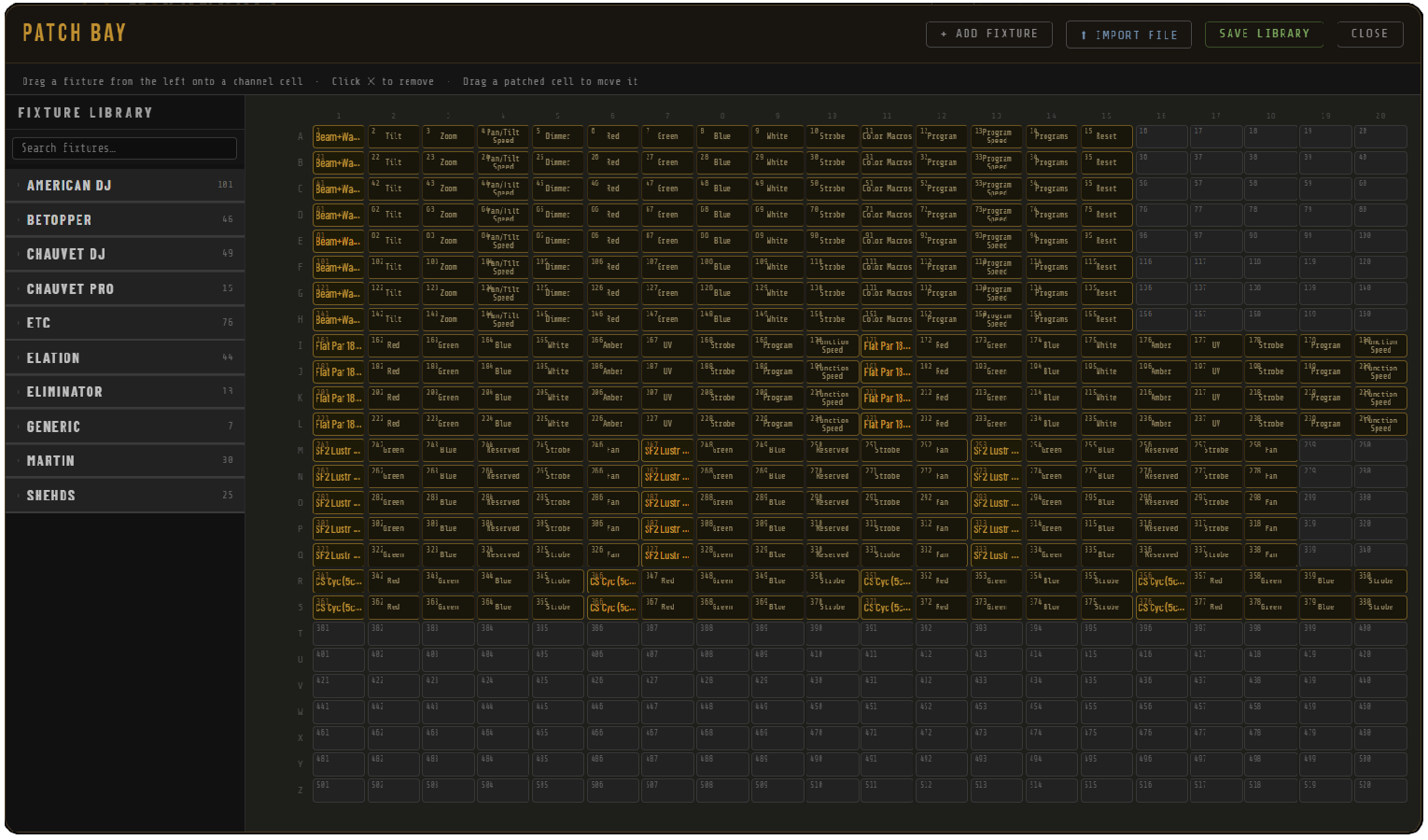
A full fixture library, ready to patch.
Patch up to 512 channels across 26 banks. The built-in library spans generic dimmers, LED PARs, and movers — or import QLC+ and GDTF fixture files. Batch-patch identical units in one step.
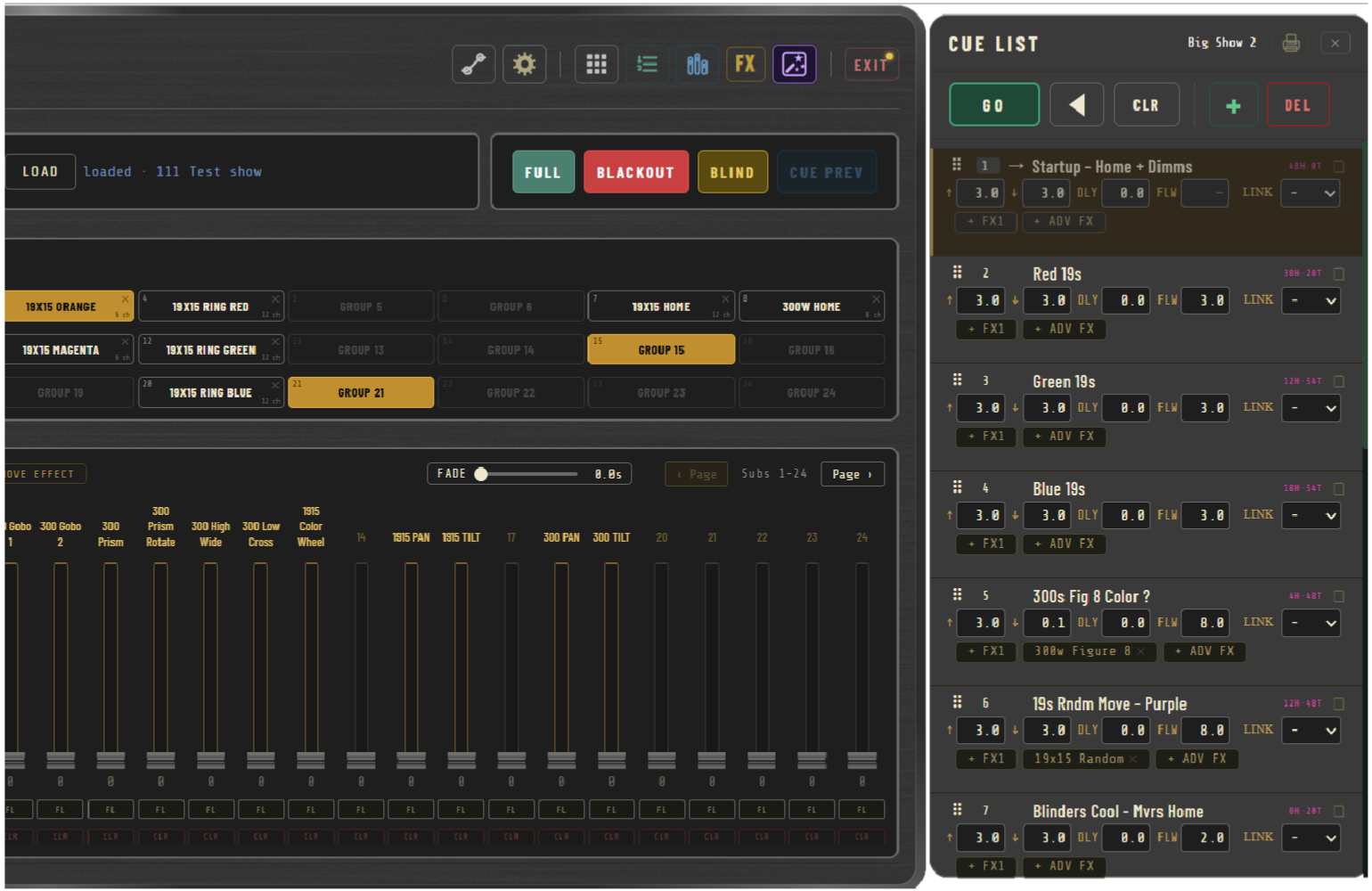
Build the show before tech week starts.
Unlimited cues with split up/down fade times, delay, and auto-follow. Decimal cue numbers (1.5, 2.8) let you insert between existing cues. Tracking or Cue-Only playback, your choice per show.
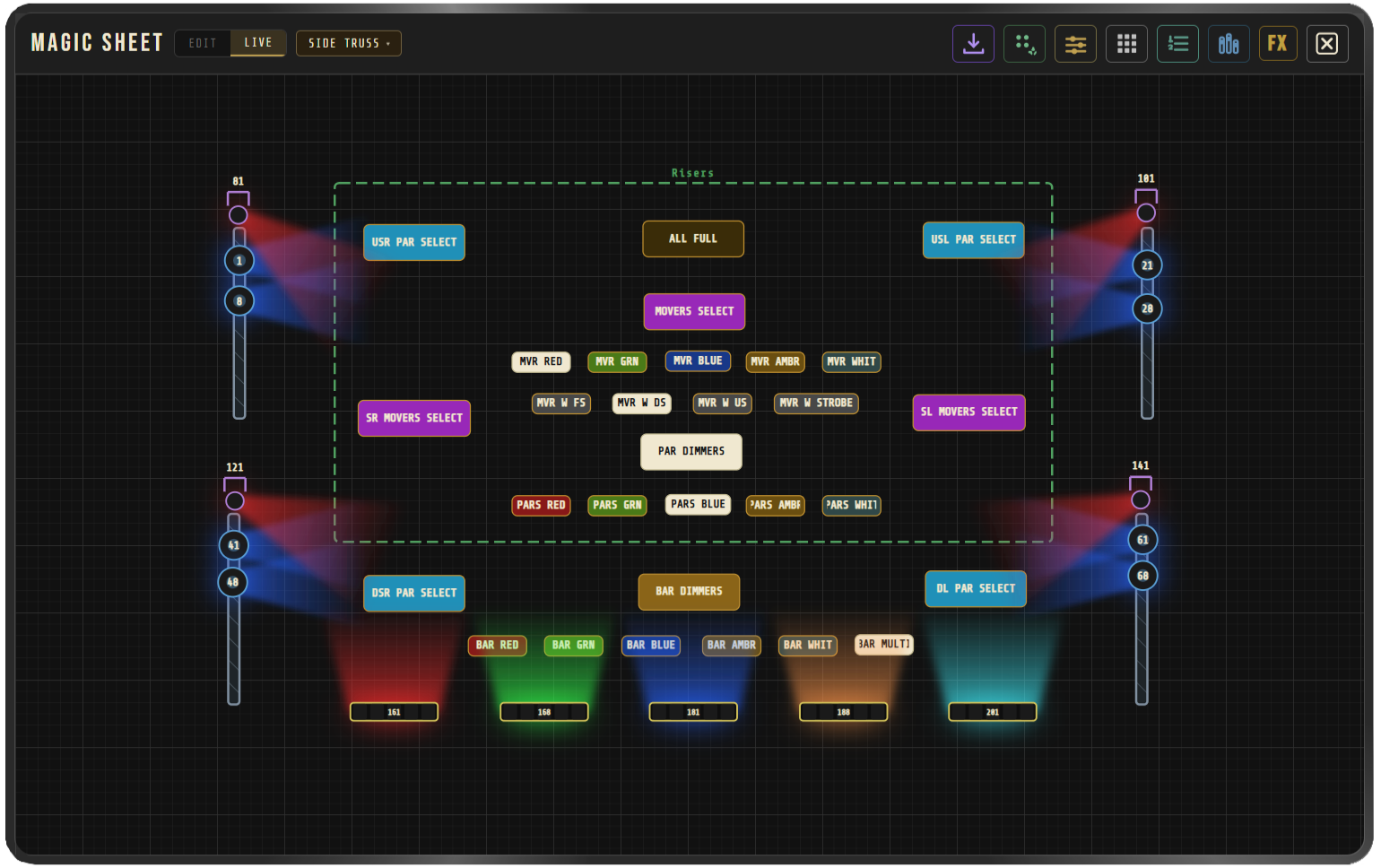
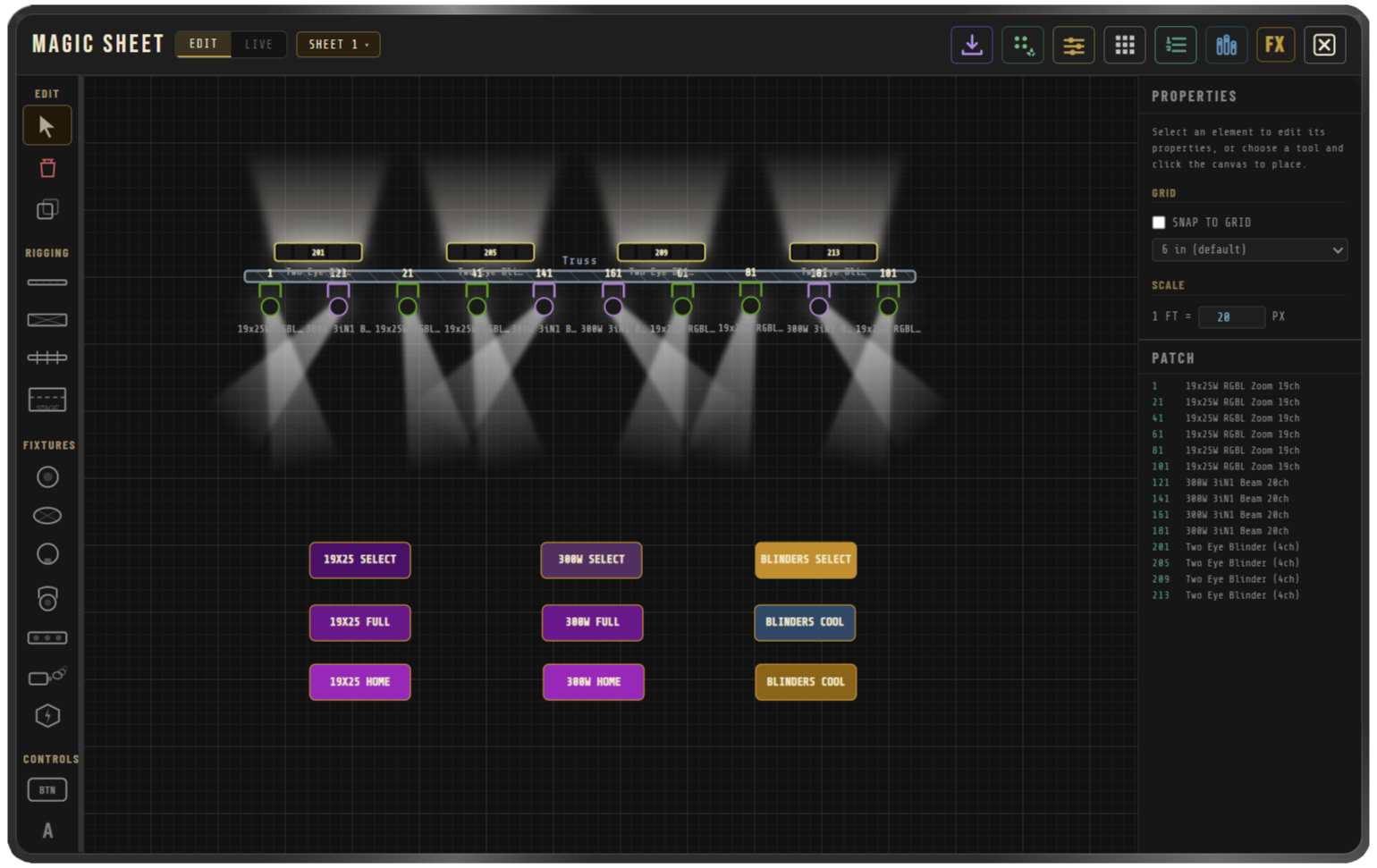
A graphical layout of your rig — and a way to run it.
Draw your rig on a canvas. Fixture icons beam and glow at live DMX levels, so you can see the show as you build it, not just plot it.
- Click fixtures directly on the sheet to select them — gang-select for the Fixture Controls panel without ever touching a fader.
- Place Selector Buttons on the layout that fire Full, Level, or Fade for whatever fixtures they're assigned to — one-click playback from the rig drawing itself.
- Auto-Populate places every patched fixture in one click. Export to PDF for a printed plot.
Run it from a controller or a command line.
Map cues, Full, Blackout, all 512 channels, and all 48 submasters to any MIDI controller — bindings save inside the show file. Or drive it from the keypad with the same CUE / GRP / SUB / FX grammar you already know.
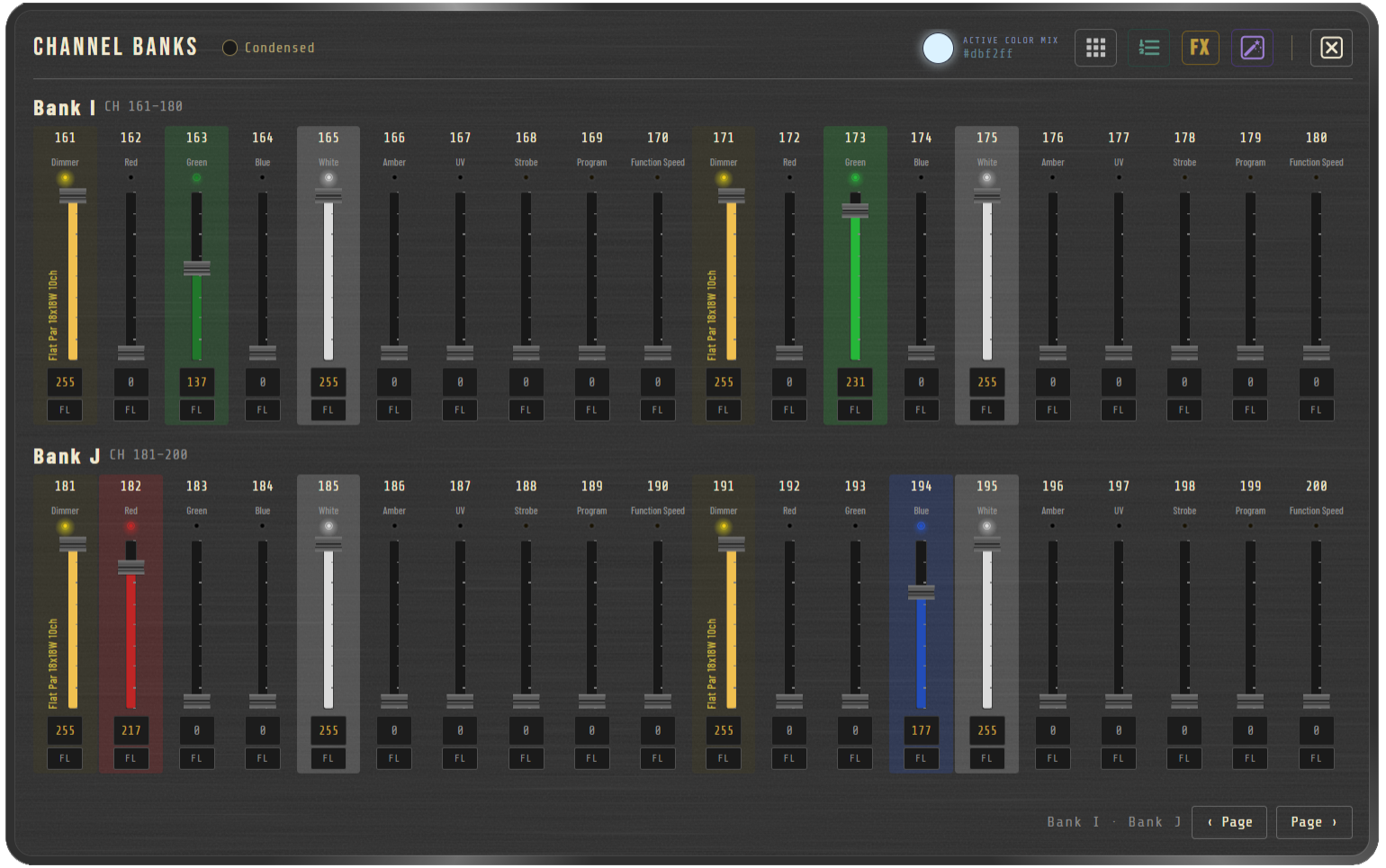
Screens from a running show.
Real captures are being pulled from the current build.
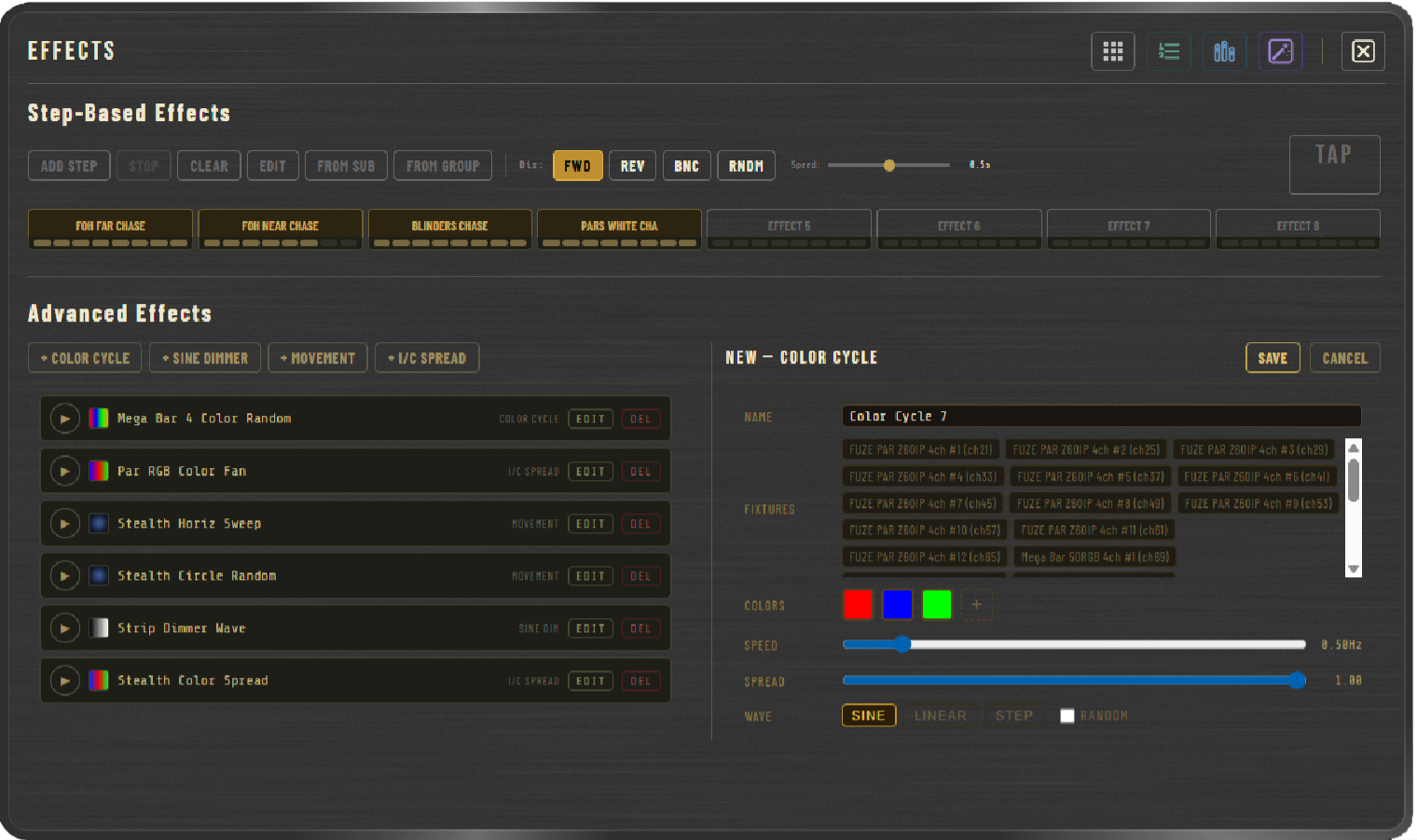
Four engines that never stop moving.
Not step chases — continuous engines that animate the rig on every frame. Add effects to Cues and Submasters.
Open the file. You're at the console.
No license server, no dongle, and no installer required just to try it.
Runs where you already work.
A walkthrough of the console.
A quick tour of the core workflow. This video predates the most recent build, so a few details on screen may have moved since it was recorded.
Filmed on an earlier build — submasters, banks, and the effects panel have since grown. An updated walkthrough is in the works.
Common questions.
Will MiKonsole be available for purchase?
Yes. MiKonsole will be available for purchase soon. It will be a one-time fee. There's no license fee, no subscription, and no locked tier — the build you download is the full console.
What operating systems does it run on?
Windows 10 or later. MiKonsole runs as a standard Windows program — open it and you're at the console. No browser tab, no plugins, and no internet connection required to run it.
What USB-DMX interfaces are supported?
ENTTEC Open DMX, DMXKing, and most standard USB-DMX adapters. Open DMX devices use the included bridge; Web Serial-capable adapters connect directly through a Chromium-based browser engine.
What does the MIDI implementation cover?
Cues, Full and Blackout, all 512 individual channels, and all 48 submasters. Every binding is learned from whatever controller you plug in, and it saves inside your show file so it's there again next time you load it.
What's the difference between Tracking and Cue-Only modes?
In Tracking mode, a channel's value carries forward from cue to cue until something explicitly changes it. In Cue-Only mode, anything not set in a cue returns to its prior state when that cue fires. You pick the mode per cue list.
What's locked in the free Demo?
The Demo is for exploring the workflow before committing to a full install: DMX output is limited and saving show files is disabled, several groups and submasters are unavailable, some step-based effect slots are disabled, and Advanced Effects play sample presets only — custom Advanced Effects can't be built or saved.
Does MiKonsole support moving heads?
Yes. The Fixture Controls panel gives direct pan/tilt control, fan spread across multiple movers, color, gobo, beam, zoom, and strobe. The Movement engine drives continuous circle, figure-8, sweep, and random-drift patterns. GDTF and QLC+ fixture files can be imported.
Is there a phone remote?
Yes — an optional companion server (Node.js 18+) lets you run submasters and the cue list from a phone or tablet on the same Wi-Fi network. No app to install; it opens in any mobile browser.
Is there support if something goes wrong?
Reach out any time at support.mikonsole@gmail.com. MiKonsole is built by one person, so you're talking directly to the developer.